
Reggio, Montessori & Play-Based Learning Frameworks
Supports diverse pedagogical approaches including Reggio Emilia documentation, AMI/AMS Montessori work cycle tracking, and emergent play- based learning logs.
Features · Classroom & Learning Tools
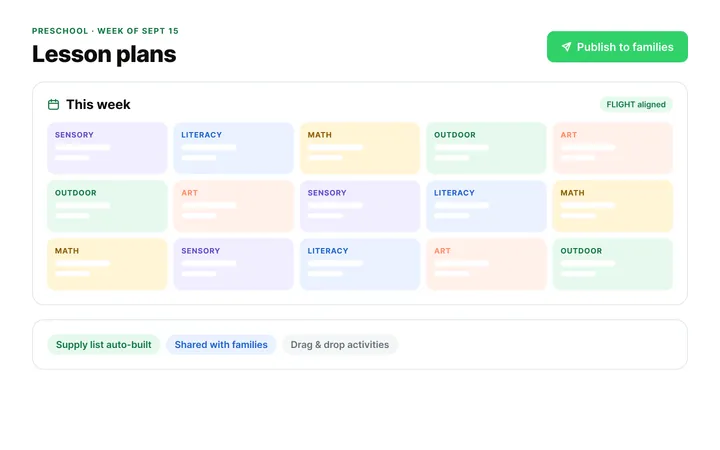
Connect curriculum planning directly to family engagement and developmental documentation. Build weekly drag-and-drop lesson plans pre-loaded with state and provincial frameworks, capture observation photos to compile digital milestone portfolios, and draft Individualized Program Plans (IPPs) with zero administrative friction.
Core features
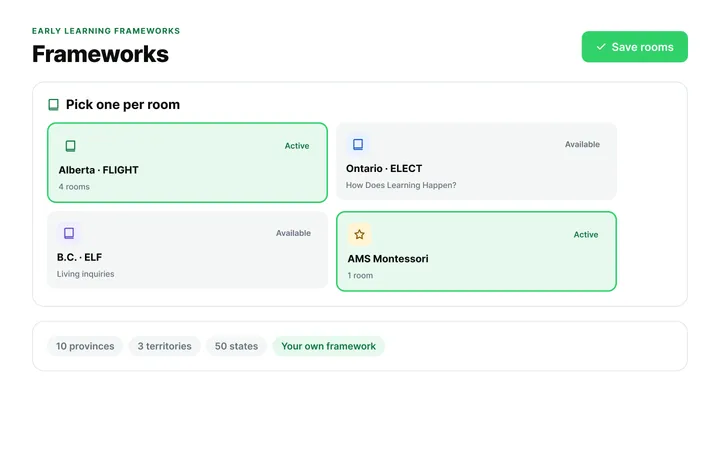
Includes pre-built learning outcome standards for Canadian provinces (e.g., Ontario ELECT, Alberta FLIGHT, BC ELF), with US state standards such as the Texas PreK Guidelines coming in early 2027. Teachers align daily activities to official standards with a single tap.
Provides thousands of pre-created, standards- aligned lesson activities. Teachers adapt plans, save custom templates, and share successful activity ideas across classrooms and sister locations.
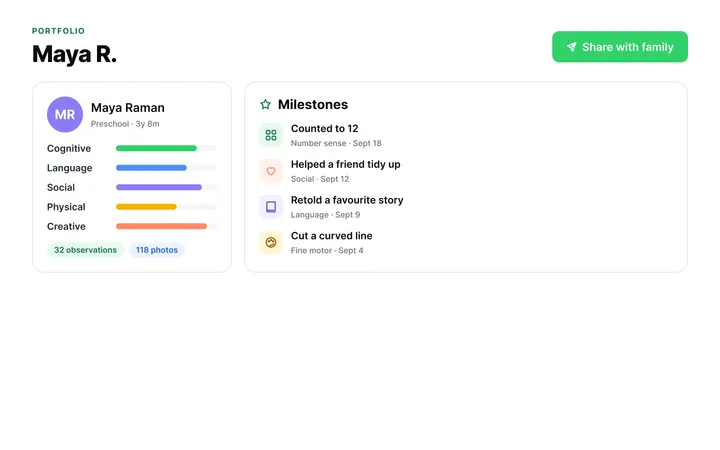
Enables educators to capture observation photos, audio clips, and progress notes, tagging them to specific developmental milestones. Automatically compiles individual digital growth portfolios over time.
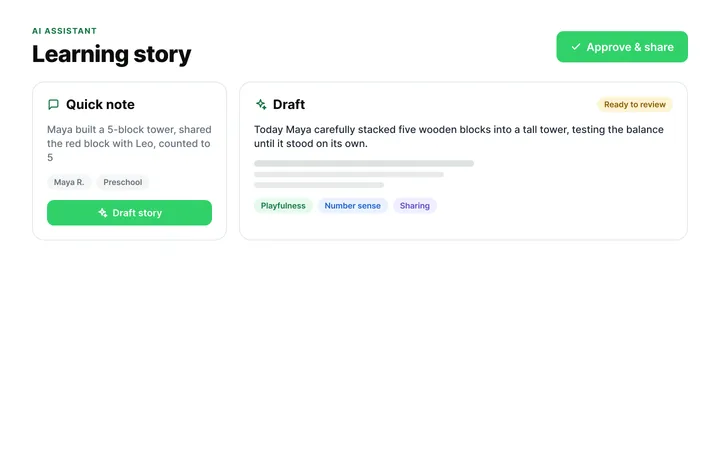
Supports custom learning goals and special needs accommodations. Teachers document individual child progress and observation logs.
Also: Automated Material & Supply List Generator · Offline observation capture · QRIS evidence exports
“The reporting functions are great, especially the progress reports for parent-teacher meetings.”
— Debbie Rausch, Accounts Manager, Footprints for Learning Preschool
All-in-one child care management software & app
Billing & Online Payments
Automate tuition collection, government subsidies, and NSF failure recovery with $0 in monthly software fees.
ChildFriendly Pro processes family ledger billing across daily, weekly, and monthly cycles, automating subsidy splits for CWELCC and state child care assistance vouchers alongside parent copayments. The system executes ACH direct debits and pre-authorized debit (PAD) transactions, flags NSF rejections with automated collection notices, and generates digital child care tax receipts without per-transaction software surcharges.
Explore Billing & Payments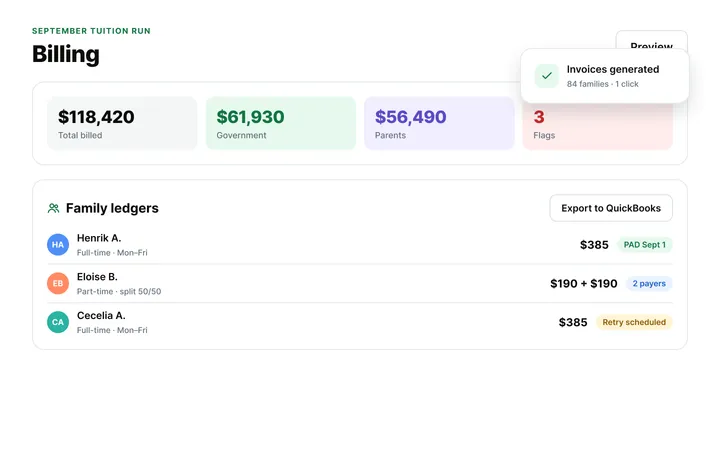
Tours, Waitlists & Registration
Keep every classroom at full capacity with automated tours, paperless enrollment, and waitlist tracking.
ChildFriendly Pro models center capacity across infant, toddler, preschool, and after-school rooms by tracking birthdates against age-transition thresholds, upcoming withdraws and new enrollments to keep classrooms full. The admissions pipeline eliminates paper forms by automating the entire enrollment sequence—transitioning families from initial web inquiry, scheduled tour, and digital application directly into the registered roster or priority waitlist with automated email updates at every step.
Learn Registration Pipeline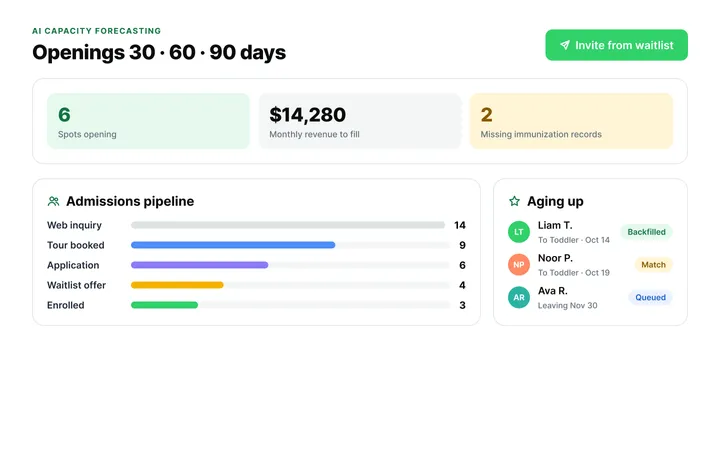
Attendance & Digital Kiosk
Enforce real-time room ratios and track child locations room-by-room across classrooms, playground and transit.
ChildFriendly Pro tracks classroom occupancy via time-stamped, e-signed guardian drop-offs and pick-ups. The system calculates real-time staff-to-child room ratios across rooms, playground and transit vehicles, issues alerts before licensing ratios are breached, and displays visual roster indicators for food allergies and legal custody pickup orders.
Explore Attendance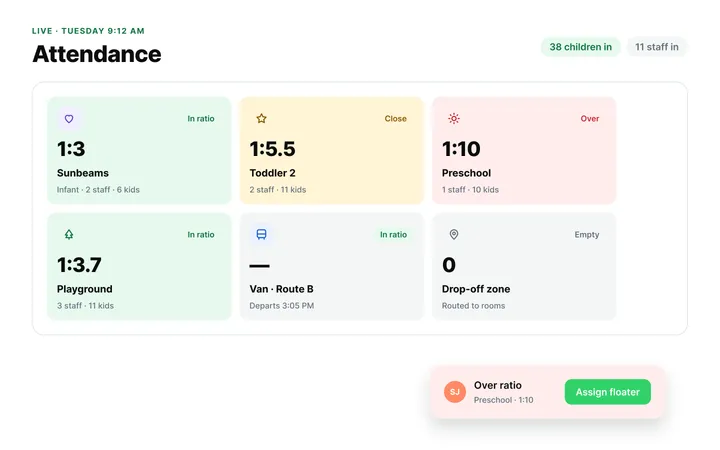
Automation, Tracking & Reports
Replace clipboards and binders with automated licensing logs, CACFP claims, and customizable daily compliance workflows.
ChildFriendly Pro replaces physical center paperwork with a fully automated compliance hub. Beyond evaluating immunization records against state and provincial health mandates, the platform automates CACFP food program documentation, incident and illness logs, digital allergy alerts, and e-signed medication administration workflows—among dozens of daily operational tasks designed to keep centers audit-ready.
Explore Automations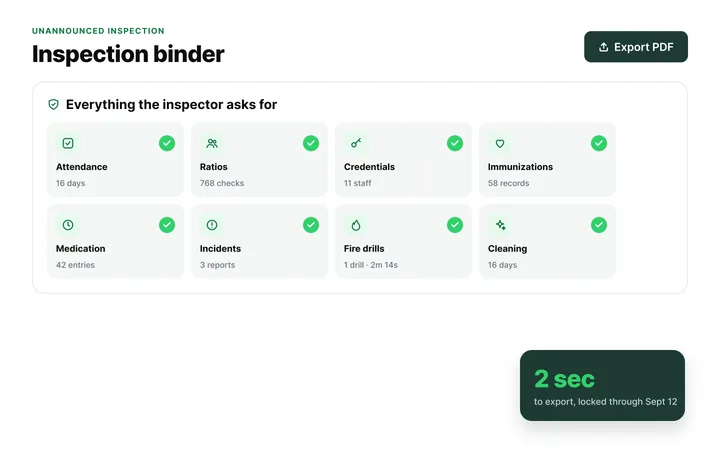
Staff Administration & Scheduling
Build ratio-compliant shift schedules, track mandatory staff credentials, and sync timesheets to payroll.
ChildFriendly Pro simplifies child care workforce management by aligning staff schedules directly with real-time child arrival curves to prevent overstaffing while protecting mandatory teacher-to-child ratios. Beyond shift optimization, the platform centralizes digital timecards with direct payroll export, enforces kiosk-based punch-ins, and tracks CPR certifications, background checks, and professional development hours with automated renewal warnings before documentation expires.
Explore Staff Hub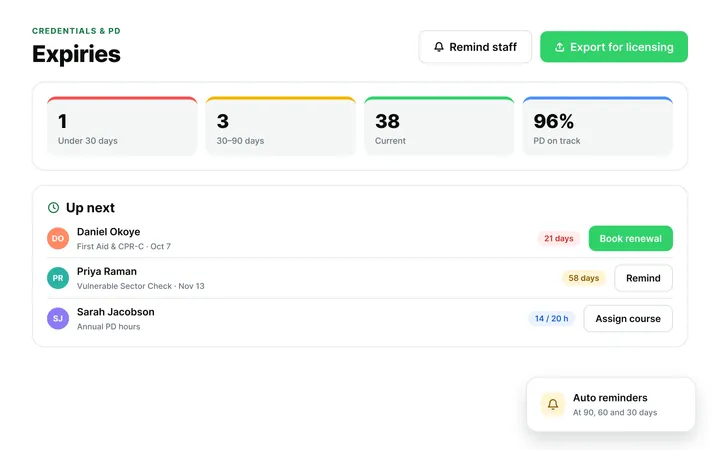
Parent Communication & Engagement
Connect families to daily classroom activities, progress milestones, billing, and direct center messaging.
The ChildFriendly Pro parent app centralizes daily family engagement into a unified hub, eliminating fragmented communications. Guardians receive real-time digital daily sheets, media updates, developmental progress reports, and incident notices alongside self-serve access to attendance records and tuition ledger payments. Two-way direct messaging and email broadcast tools include standardized message templates and multi-channel delivery to keep staff and families aligned without phone tag or paper slips.
Explore Family App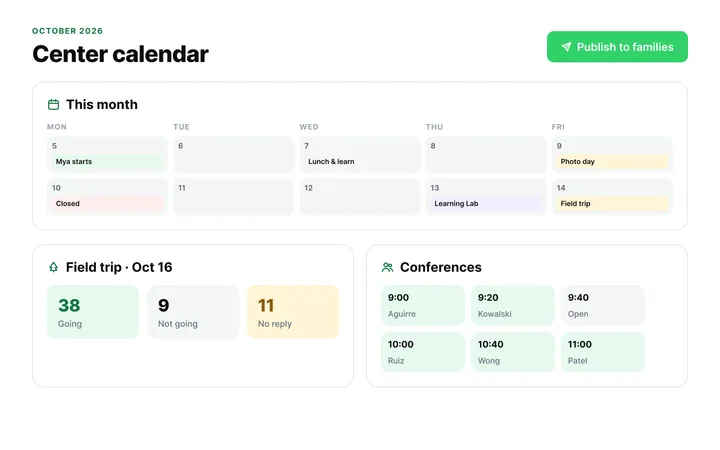
Classroom & Learning Tools
Customize curriculum, map developmental milestones, and build digital portfolios with shared classroom calendars.
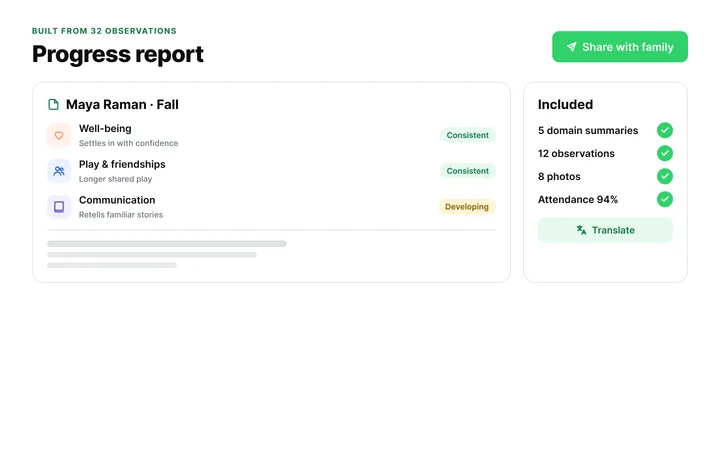
ChildFriendly Pro equips educators to build custom, standards-aligned lesson plans or select from pre-loaded learning activities tailored to program goals. Teachers capture real-time classroom observations, tag developmental milestones, compile media-rich child portfolios, and generate formal progress reports for family conferences. Integrated classroom calendars, shared photo journals, learning documentation, and newsletters keep daily room schedules organized and curriculum progress accessible to parents.
Explore Curriculum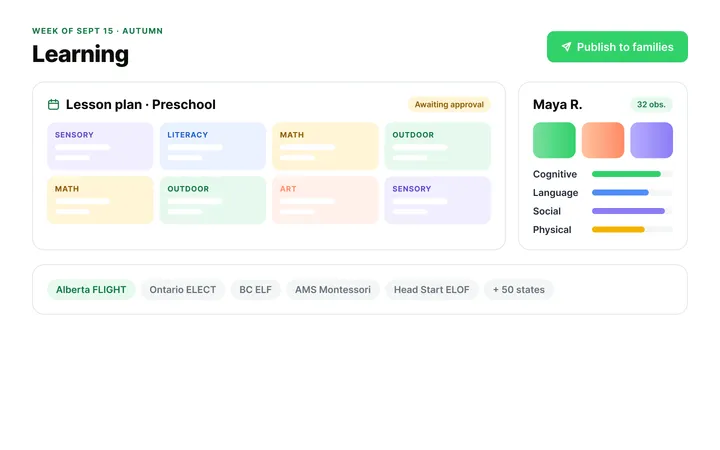
Accreditation Compliance
Replace physical three-ring binders with an integrated digital workflow for NECPA accreditation standards.
ChildFriendly Pro replaces heavy three-ring compliance binders with a digital self-assessment platform built around official NECPA accreditation standards. Staff tag and organize classroom observation evidence, curriculum plans, and educator credentials directly against accreditation rubrics. Uploaded documentation photos are automatically stamped with unalterable site IDs, room numbers, and dates, while secure, time-limited portal links let external assessors review complete evidence portfolios remotely.
Explore Accreditation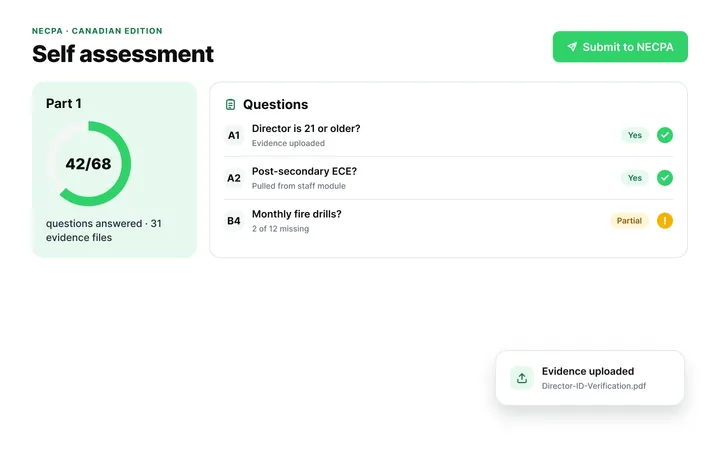
AI & Smart Automation Features
Turn brief teacher observations into framework-aligned learning stories and refine family messages instantly.
ChildFriendly Pro Pilot streamlines daily documentation by polishing parent emails and messages for tone, clarity, and professionalism while providing instant multi-language translation. The assistant transforms teacher field notes into detailed classroom journal entries, standards-aligned learning stories, and formal student report cards with minimal manual writing. Built strictly for early childhood privacy compliance, all child data, developmental records, and center communications operate inside isolated, secure environments that never train public AI models.
Explore AI Features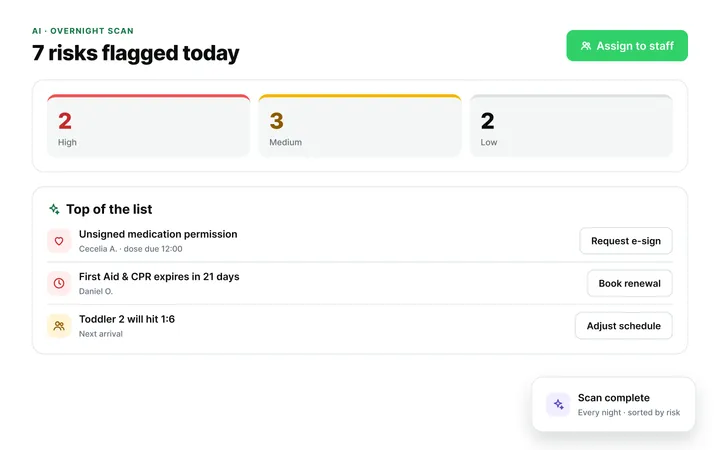
Onboarding & Easy Data Migration
Switch from Procare, Lillio, Brightwheel, or your current system with zero setup fees, zero downtime, and dedicated coaching.
ChildFriendly Pro eliminates the friction of switching platforms with a full-service, 24-hour migration guarantee managed directly by dedicated data specialists. Our team extracts, cleans, and re-formats existing child rosters, guardian profiles, and family billing ledgers from legacy child care management systems or spreadsheets without disrupting daily operations. To ensure complete financial accuracy, ledgers are run in parallel prior to launch, while role-based video training modules quickly get directors, lead educators, and parents up to speed.
Explore Migration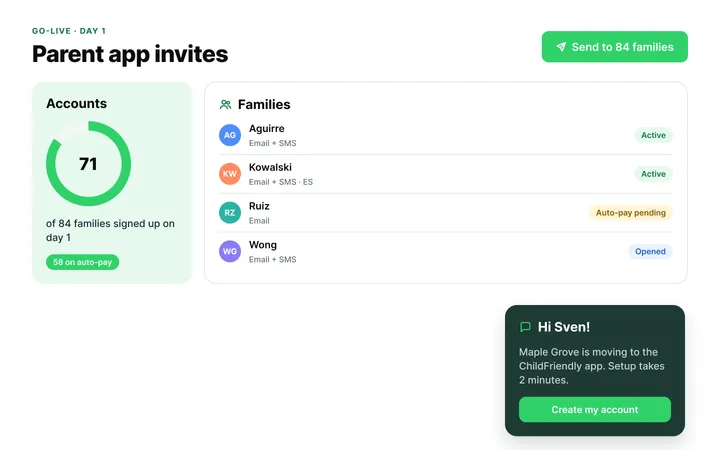
Platform Security & Setup
Protect child and family records with enterprise Microsoft Azure encryption and strict regulatory compliance.
ChildFriendly Pro safeguards sensitive child care data through Microsoft Azure cloud infrastructure featuring 256-bit AES encryption at rest and in transit under a 99.9% uptime SLA. Tuition payments and bank accounts are protected within PCI DSS Level 1 certified vaults, ensuring zero local storage of raw financial details. Granular, role-based user permissions restrict document access to authorized personnel, maintaining compliance with PIPEDA, FERPA, and COPPA data privacy mandates backed by unalterable security audit logs.
Explore Platform Security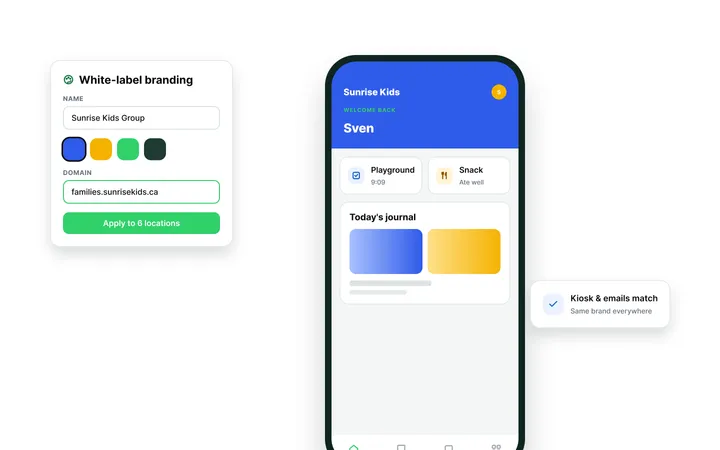
Dedicated support
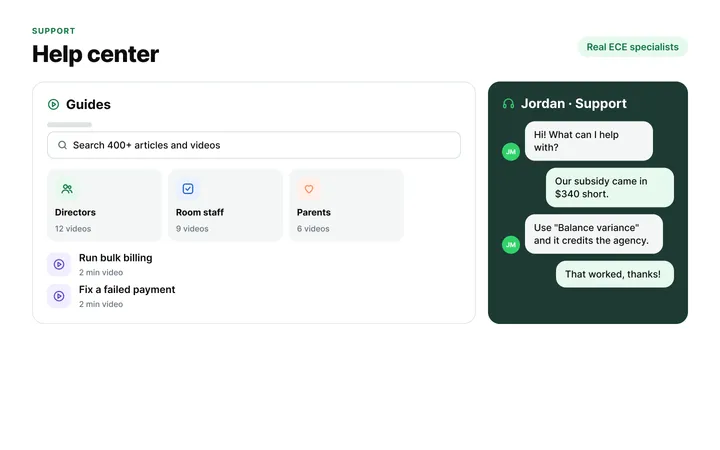
No ticketing queues. No generic responses. When you reach out, you connect directly with experienced operators who know how to resolve subsidy questions, ledger balances, and room ratios on the spot.
Frequently asked questions
ChildFriendly Pro includes pre-loaded frameworks for Canadian provinces, including Ontario ELECT, Alberta FLIGHT and BC ELF. US frameworks such as the Texas PreK Guidelines, California PTKLF and Head Start ELOF are coming in early 2027. Custom frameworks can also be added.
While taking a photo or writing a note on classroom tablets, teachers select pre-loaded learning domains (e.g., Cognitive, Social-Emotional, Motor Skills) and tap the relevant milestone. The entry tags to the child's portfolio.
Yes, the platform includes a Director Review Gateway. Teachers submit weekly plans, and administrators leave feedback or approve them in 1 click.
Yes, the learning engine supports Reggio documentation boards, play-based emergent learning logs, and AMI/AMS Montessori exercise tracking alongside traditional frameworks.
Portfolios compile milestone photos, observation notes, and developmental charts automatically. Parents view progress in their app or receive compiled PDF summaries during parent-teacher conferences.
Yes, teachers build custom ILPs setting specific developmental goals, accommodations, and tracking intervals for children requiring extra support.
When teachers select activities from the curriculum library, required materials aggregate into a master weekly supply list for director purchasing.
Yes, multi-site networks maintain a shared central curriculum repository, allowing lead teachers to share top-rated lesson templates across sister centers.
Yes, tablet apps record photos and observation notes offline during playground or field trip activities, syncing automatically once Wi-Fi reconnects.
Yes, documented milestone tracking, lesson plans, and child portfolios export as evidence files satisfying state QRIS and accreditation audit standards.
Create your free account or book a live demo to see how ChildFriendly Pro can transform your center’s learning goals.