
Skip to content
ChildFriendly Pro

Users · Educators & Classroom Staff

Classroom Management Tools for Early Educators

An all-in-one classroom tablet suite featuring batch daily journals, AI observation drafting, and private and group family messaging—alongside curriculum planning, live allergy alerts, and room-to-room transit tracking.

  • 70%Less daily documentation
  • < 15 minTo learn the classroom app
  • $0For every educator
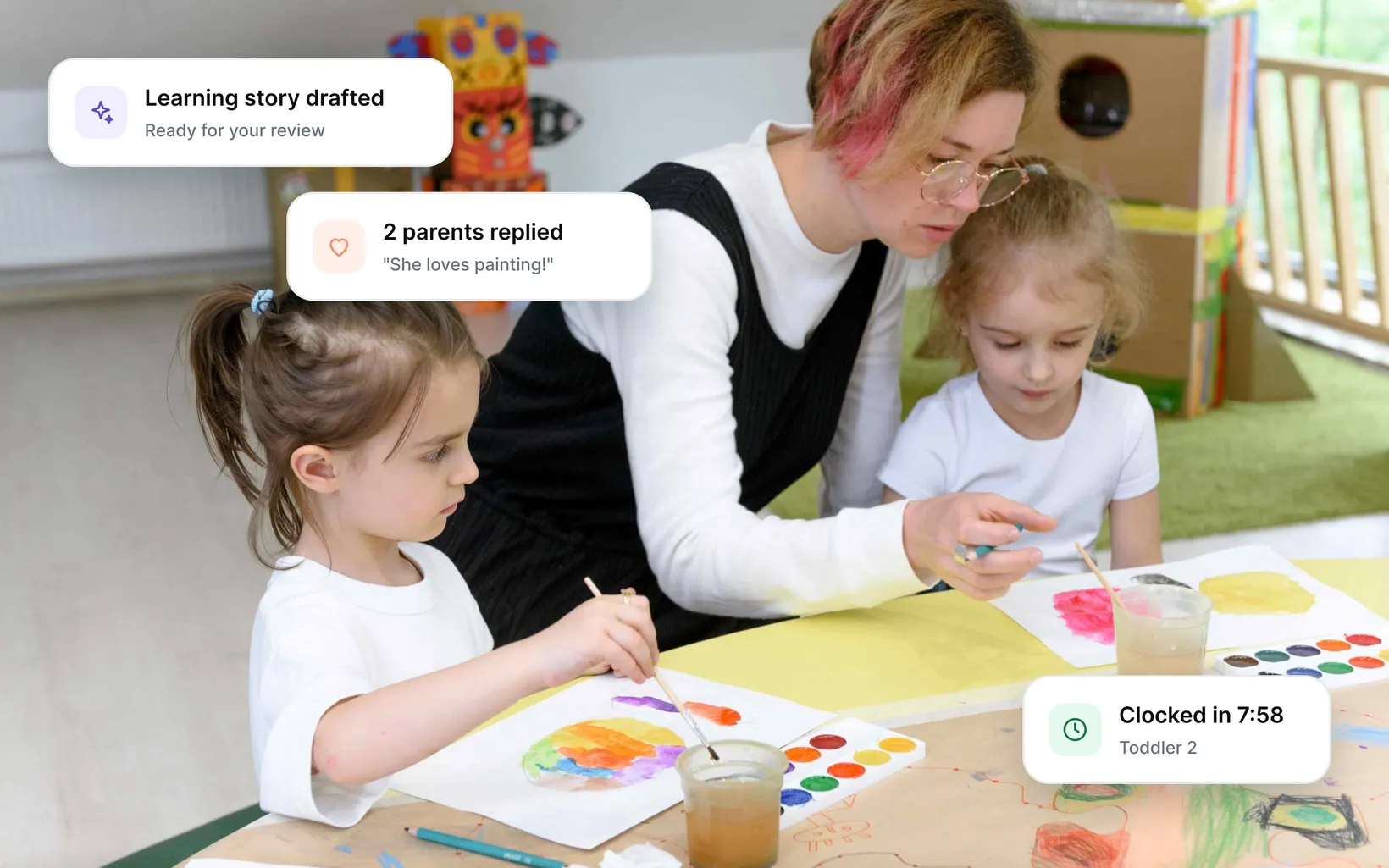
An educator helping two girls paint with watercolours, with app cards for a drafted learning story, parent replies and a staff clock-in

Highlights for Educators

Trade paperwork for presence

Quick-Tap Daily Journals & Batch Group Logging

Quick-Tap Daily Journals & Batch Group Logging

Say goodbye to repetitive daily journals. Select entire groups to log meals, nap durations, fluid intake, and diapering with single taps on classroom tablets. Daily journals update parent feeds in real time without pulling educators away from the children.

AI Pedagogical Assistant for Learning Observations

AI Pedagogical Assistant for Learning Observations

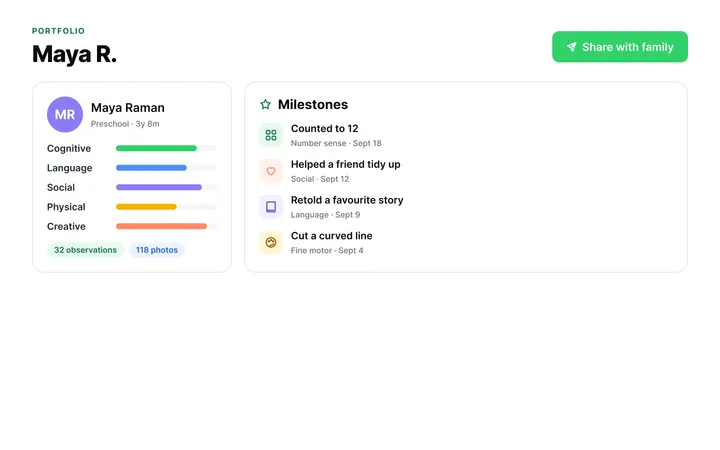
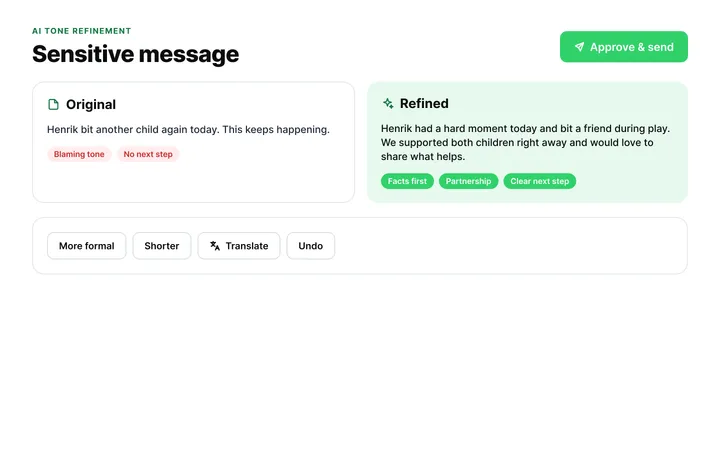
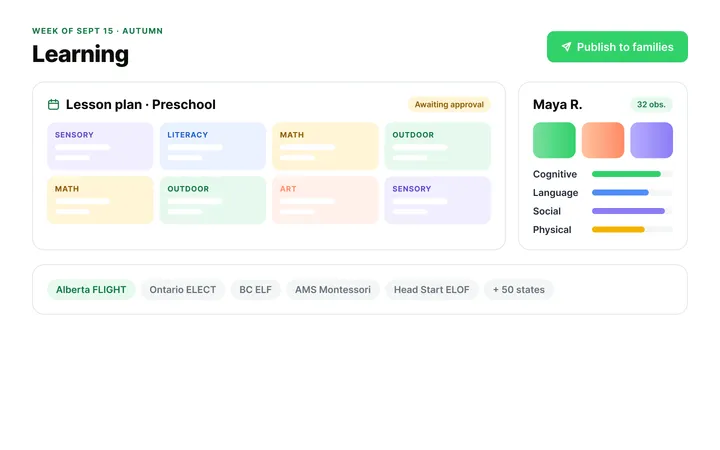
Type quick bullet notes like "built block tower, counted to 10," and watch the AI Assistant expand them into rich, framework-aligned observation stories in seconds. You maintain complete editorial control to review and edit every draft before sharing.

Classroom Safety Badges & Critical Alerts

Classroom Safety Badges & Critical Alerts

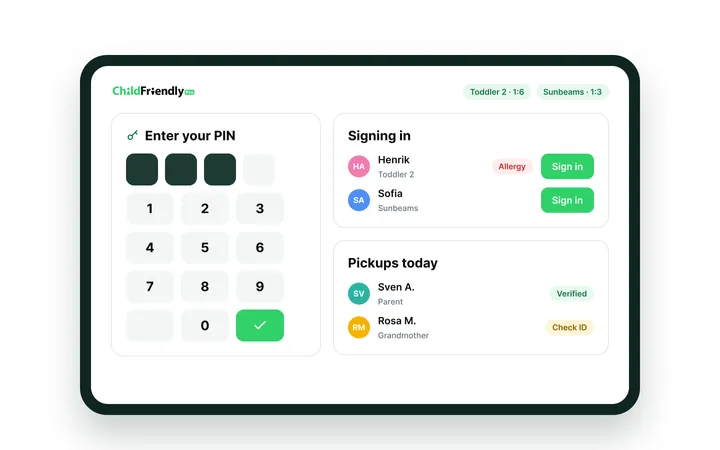
Protect every child with zero guesswork. Roster screens display bright, color-coded visual badges directly beside child photos for severe food allergies, medical conditions, and authorized pick-up boundaries. Floating and substitute staff get instant situational awareness the moment they walk into the room.

All-in-one child care management software & app

Explore More Features for Educators

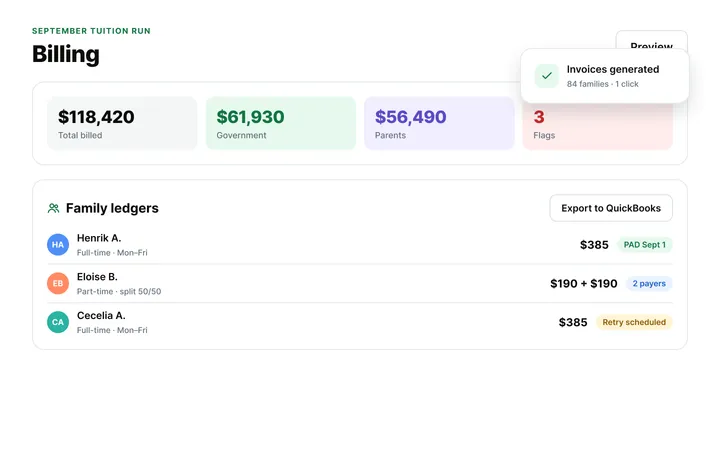
Billing & Online Payments

Billing & Online Payments

Automate tuition collection, government subsidies, and NSF failure recovery with $0 in monthly software fees.

ChildFriendly Pro processes family ledger billing across daily, weekly, and monthly cycles, automating subsidy splits for CWELCC and state child care assistance vouchers alongside parent copayments. The system executes ACH direct debits and pre-authorized debit (PAD) transactions, flags NSF rejections with automated collection notices, and generates digital child care tax receipts without per-transaction software surcharges.

Explore Billing & Payments
Subsidy split billing screen

Keep learning. Keep growing.

Free monthly virtual sessions tailored for early learning leaders and classroom teams

For owners & directors

Executive Lunch & Learn

Practical operational strategy, licensing readiness, and financial sustainability for early learning leadership.

Topics:
Budgeting, staff retention, compliance audits, and enrollment growth.
Format:
Fast-paced, interactive noon sessions with fellow operators.
Takeaway:
Actionable operational checklists and leadership templates.
Register for Lunch & Learn

For educators & classroom staff

ECE Learning Labs

Hands-on teaching tools, environment inspiration, and child development strategies you can use tomorrow.

Topics:
Classroom setups, positive guidance, and child-led inquiry.
Format:
Interactive, peer-led workshops built for real classroom dynamics.
Takeaway:
Official certificate of completion for professional learning records.
Join the Learning Lab
“The educator interface is designed for extreme simplicity, allowing new staff to master classroom logging and lesson planning in under 15 minutes.”

— ChildFriendly Pro · Educator FAQs

Frequently asked questions

Educators FAQs

Read more FAQs
How does ChildFriendly Pro save teachers time on daily classroom paperwork?

ChildFriendly Pro replaces paper daily sheets with two-tap batch logging for meals, naptimes, and diapers, reducing daily documentation time by up to 70%. Teachers spend less time writing and more time engaging with children.

How does ChildFriendly Pilot AI assist teachers with observation writing?

Teachers enter quick bullet notes or voice dictate observations (e.g., 'Liam built a block tower, balanced 8 blocks'). AI Assist expands the note into a pedagogical learning observations aligned with early learning standards.

Can teachers view child food allergies directly on classroom tablets?

Yes, color-coded health badges display severe food allergies, dietary restrictions, and medical conditions directly on classroom attendance rosters. Teachers tap badges for full medical instructions before serving snacks.

How fast can a new teacher learn to use the ChildFriendly classroom app?

The educator interface is designed for extreme simplicity, allowing new staff to master classroom logging and lesson planning in under 15 minutes. Role-based training videos guide onboarding.

Can teachers communicate with parents directly through the app?

Yes, teachers send real-time photos, activity updates, and private messages to parents.

How does the app support teachers when classroom Wi-Fi is weak or offline?

The app buffers classroom entries, photos, and attendance logs locally, automatically syncing to cloud servers once connectivity is re-established. Zero work is lost during Wi-Fi drops.

Can teachers submit shift swaps or time-off requests on their phones?

Yes, staff view work schedules, log timecard hours, and submit PTO requests directly through their mobile app. Directors review and approve requests instantly.

Does the app support lesson plan sharing across sister classrooms?

Yes, teachers browse a shared center curriculum library, adapting pre-created lesson plan templates and sharing successful activity ideas. Saves hours of weekend lesson planning.

How does live support work if a teacher gets stuck on a tablet feature?

Teachers tap 'Live Help' inside the app to connect with a human support specialist. Our support team resolves issues live on the spot.

Is ChildFriendly Pro accessible on both Apple iPads and Android tablets?

Yes, the ChildFriendly classroom app runs smoothly on Apple iPads, Android tablets, Amazon Fire tablets, and mobile smartphones. Centers deploy hardware of their choice.

Ready To Spend More Time With The Children?

See the classroom app on a live demo, or join our next free Learning Lab for ECEs.