Opening your second child care center feels like a milestone. The first location proved your model: families love your program, your teachers are thriving, and your waitlist is longer than your supply of nap mats. Naturally, the next step is to expand.
Then something unexpected happens. The business gets harder, and not because of the children or the classrooms. It gets harder because of the paperwork. Suddenly, you’re juggling two sets of books, two enrollment processes, and two staff schedules, all living in different spreadsheets, binders, and email threads. By the time you open location three, you may have hired an extra administrator just to keep the first two straight. By location four, you’re wondering whether growth is worth the overhead.
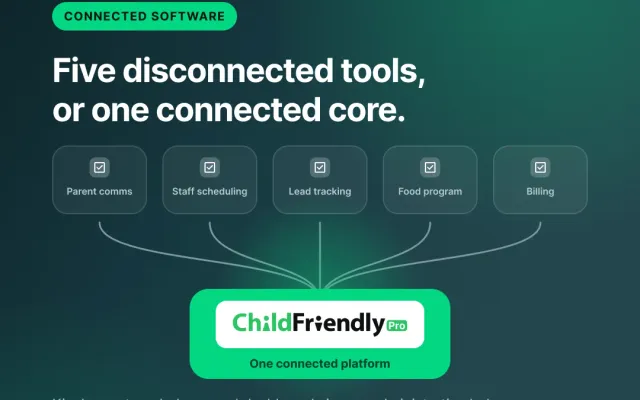
It doesn’t have to work this way. The most successful multi-site operators don’t scale by adding admin headcount at the same pace they add classrooms. They scale by building systems that make each new location easier to run than the last. This blog post walks through where multi-center growth tends to break down, what standardization looks like in practice, and how child care software like ChildFriendly Pro can help you grow without a bloated back office.
The Hidden Cost of Growing the Old Way
Most child care businesses start with a founder who does everything: enrolling families, running payroll, building the schedule, and answering the phone at 6:45 a.m. That hands-on approach is a strength at one location. At two or more, it becomes a bottleneck.
Here’s how decentralization typically creeps in:
Financial tracking fragments. Each center develops its own way of recording tuition payments, late fees, registration charges, and refunds. One director keeps a tidy spreadsheet. Another relies on a paper ledger and a bank statement. When it’s time to understand how the business is actually performing, someone has to collect, reconcile, and reformat everything by hand, often at month’s end, when everyone is already stretched thin.
Staff schedules scatter. A teacher calls out at Location A while Location B is fully staffed. Nobody at the corporate level knows, because schedules live in separate documents managed by separate people. Ratios get tight, overtime creeps up, and the fix is a flurry of text messages.
Enrollment procedures drift. Over time, each center’s front desk develops its own habits. One uses the latest registration packet, another is still handing out a version from three years ago. Tuition rates differ from center to center in ways nobody remembers deciding. Parents who move between locations, or compare notes at the park, notice the inconsistency before you do.
Reporting becomes archaeology. Want to know your total enrollment across all sites? Average attendance by classroom age group? Which location is running behind on collections? If answering takes days of digging, you’re steering the business by feel instead of by data.
Each of these problems is manageable on its own. Together, they create a hidden tax on growth: every new location adds not just its own workload, but an extra layer of coordination on top of everything that already exists. And the usual answer, hiring more administrators to hold it all together, quietly eats the margin that expansion was supposed to create.
Three Pillars of Scalable Multi-Center Operations
1. One Login, Every Location
One of the most underrated sources of admin drag in a multi-site operation is simple friction: separate logins, separate accounts, separate systems for each center. Every time an owner, regional manager, or administrator needs to check on a different location, they have to log out, log in somewhere else, and mentally reset.
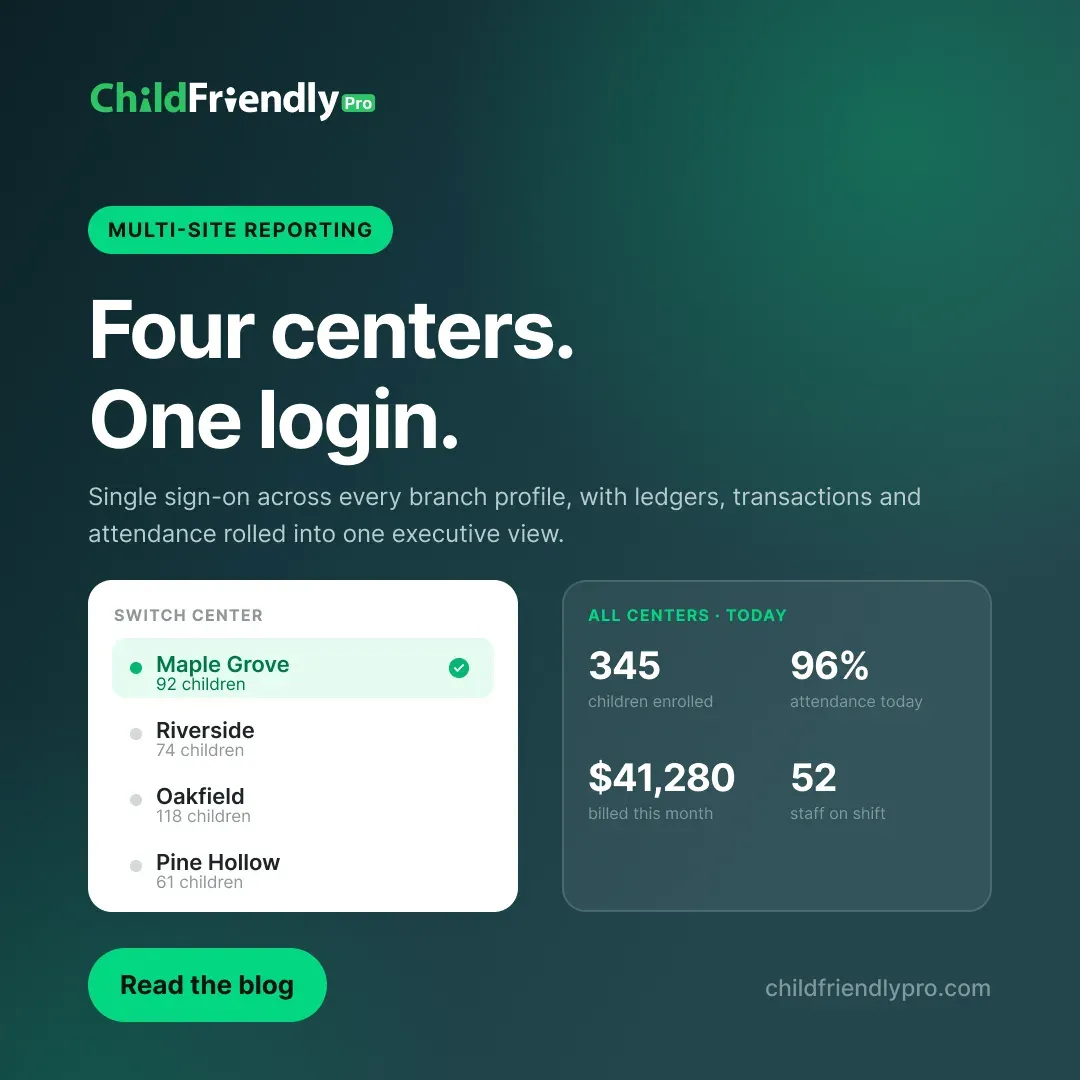
ChildFriendly Pro’s enterprise dashboard is built to remove that friction. With single-sign-on access, operators can instantly toggle between branch profiles without juggling credentials or switching platforms. You can look at Location A’s roster in the morning, jump to Location C’s billing before lunch, and check Location B’s attendance that afternoon, all within the same environment.
That might sound like a small convenience, but multiply it by the number of times per day your leadership team touches each location. Across a week, a month, a year, the time saved is significant. More importantly, it lowers the barrier to oversight. When checking on a branch takes seconds instead of minutes, leaders actually do it, and problems get caught while they’re still small.
2. Multi-Site Reporting That Actually Rolls Up
For multi-centred operators, bringing scattered data into one unified reporting system can make a huge difference.
ChildFriendly Pro’s Multi-Site Reporting combines financial ledgers, transaction histories, and attendance metrics into a single unified view. Instead of assembling a patchwork of exports from each center, your admin team sees the whole picture in one place.
Here’s what that unlocks in practice:
- Financial clarity across the organization. See tuition collected, outstanding balances, and transaction activity across every location without waiting for someone to compile a report. When ledgers are consolidated, you can spot a collections problem at one center before it becomes a cash-flow problem for the whole company.
- Attendance trends you can act on. Aggregated attendance metrics help you see which locations and age groups are running full, which have room, and where patterns are shifting. That informs everything from staffing decisions to marketing spend to whether it’s time to open another classroom.
- Faster, better conversations with lenders, investors, and partners. If you’ve ever needed to pull together multi-site numbers for a loan application or a franchise discussion, you know how painful it is to build that story from scratch. Having the data already unified changes that.
- Accountability without micromanagement. When directors know that leadership can see comparable data across sites, it creates a healthy transparency, and it lets you support struggling centers with real information instead of hunches.
The key benefit for your admin team is that reporting stops being a manual project and instead becomes a routine view. The hours once spent copying numbers between spreadsheets can go toward work that actually grows the business.
3. Standardized Tuition Plans and Form Templates, Deployed Everywhere at Once
Here’s where automation and standardization meet, and where operators often see the most dramatic reduction in administrative effort. With ChildFriendly Pro, admin teams can deploy standardized tuition plans and form templates across locations simultaneously. Consider what that means for a few common scenarios:
Annual tuition updates. Every year, you review rates. Without a centralized system, rolling out a change means emailing each director, hoping they update their local records correctly, and fielding questions when one center’s parents hear something different from another’s. With centralized deployment, you build the plan once and push it out, which keeps pricing consistent and keeps you from chasing down confirmations.
Enrollment paperwork. Registration packets, emergency contact forms, authorization and consent forms, and policy acknowledgments all evolve over time. Maybe a regulation changes, or your insurance provider requests updated language, or you simply want to improve a confusing form. When you can update a template once and have it apply across every branch, you eliminate the risk of an outdated form lingering at the front desk of one location.
New location launches. This is the big one. When you open a new center, standardized tuition structures and form templates mean you’re not reinventing the wheel. Your new director inherits a proven enrollment process from day one. Instead of spending the first months designing paperwork and pricing, they can focus on hiring great teachers and welcoming families.
The result is what every growing operator wants: new locations that feel like an extension of a well-run organization rather than a brand-new startup to be managed from scratch.

What This Means for Your Admin Team
Let’s return to the central question: how do you grow without proportionally growing your administrative headcount?
The answer isn’t asking your existing team to work harder. It’s removing the categories of work that shouldn’t require human effort in the first place:
- Manually consolidating reports becomes a unified view.
- Re-creating forms and rate sheets for each center becomes a one-time deployment.
- Logging in and out of separate systems becomes a single sign-on.
- Chasing down inconsistencies between sites becomes rare, because everyone’s working from the same templates and structures.
Your administrative staff can then shift toward higher-value work: supporting directors, improving family communication, tackling compliance questions, and helping plan the next stage of growth. That’s a better job for them, and a better use of your payroll.
A Practical Roadmap for Getting Started
If you’re running multiple centers today (or planning to), here’s a sensible way to approach standardization:
- Audit what varies. List the ways your centers currently differ in tuition structures, forms, fee policies, and record-keeping. Some variation is intentional; much of it is accidental drift.
- Decide what should be universal. Identify the operational elements that should be identical everywhere: core forms, billing rules, and data you want to report on. Reserve flexibility for things that truly reflect local needs.
- Centralize your data. Move each location onto a shared platform so financial, attendance, and enrollment information lives in one place. This is the foundation that makes everything else possible.
- Build your templates once. Create your standard tuition plans and forms at the organization level, then deploy them across branches.
- Establish a reporting rhythm. Decide which numbers leadership reviews weekly, monthly, and quarterly, and use your consolidated dashboard to make that routine rather than a scramble.
- Bring directors along. Standardization works best when center directors understand the why. Show them how it reduces their own paperwork, and they’ll become advocates rather than skeptics.
Growth Should Feel Like Momentum, Not Chaos
Multi-center child care is one of the most rewarding models in the industry. It lets you extend a program you’re proud of to more families and more communities. But it only works long-term if the business behind the classrooms scales gracefully.
The operators who thrive are the ones who treat their back office as a product to be designed, not a pile of tasks to be endured. With single-sign-on access across branches, unified multi-site reporting, and centralized deployment of tuition plans and forms, ChildFriendly Pro gives you the infrastructure to build exactly that.
Your next location shouldn’t mean your next headache. Build the systems first, and let growth feel like what it’s supposed to feel like: an exciting next chapter.
Ready to see how a unified dashboard could simplify your multi-center operation? Reach out to the ChildFriendly Pro team to schedule a no-obligation walkthrough.