First impressions matter, and for many families, the registration process is their very first experience with your child care center.
If enrollment still involves printing paperwork, scanning documents, chasing signatures, and manually entering information into multiple systems, chances are you’re creating extra work for both your staff and your families.
The good news? Digital enrollment can make the entire process faster, easier, and more accurate. With the right registration forms and a streamlined online experience, child care centers can reduce administrative workload, improve data accuracy, and help parents complete enrollment from anywhere.
Here’s everything your daycare registration forms should include, along with common mistakes to avoid when moving to digital enrollment.

Why Digital Enrollment Matters
Parents expect convenience. They can order groceries, pay bills, and book appointments online, so naturally, they want the same experience when registering their child for care.
Digital enrollment helps child care centers:
- Eliminate paper forms and filing cabinets
- Reduce incomplete applications
- Collect signatures electronically
- Keep records organized and secure
- Speed up enrollment approvals
- Improve communication with families
- Save valuable administrative time
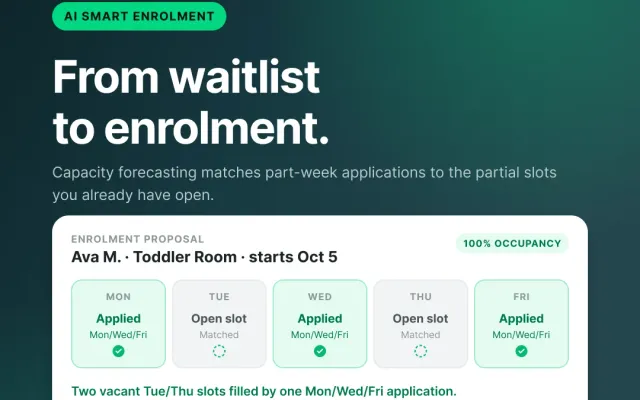
Instead of spending hours tracking paperwork, your team can focus on what matters most: supporting children and families. ChildFriendly’s digital SMART registration system not only simplifies the initial process, it also continues working for you and your families by automatically recognizing when children are moving up in the system. This enables you to ensure your center stays full, eliminates the time-consuming task of constantly checking when kids are moving up or out of the center, and helps you plan far ahead.
Daycare Registration Forms: Your Must-Have Checklist
A complete enrollment package should gather all the information your center needs while remaining simple and easy for parents to complete.
Child Information
Start with the basics:
✔ Child’s full name
✔ Date of birth
✔ Home address
✔ Preferred name or nickname
✔ Primary language spoken at home
✔ Start date requested
✔ Program or classroom selection
Parent & Guardian Information
Collect contact information for all legal guardians.
✔ Full names
✔ Phone numbers
✔ Email addresses
✔ Home addresses
✔ Employer information (if required)
✔ Custody or legal considerations
Emergency Contacts
Every center should have at least one, and ideally multiple, emergency contacts on file, for each child.
✔ Contact names
✔ Relationship to child
✔ Phone numbers
✔ Authorized pickup status
Medical & Health Information
This section is critical for child safety.
✔ Physician information
✔ Health card or insurance details (if applicable)
✔ Allergies
✔ Medical conditions
✔ Medications
✔ Dietary restrictions
✔ Immunization records
Authorized Pick-Up List
Avoid confusion and improve security by documenting who can pick up a child.
✔ Full names
✔ Relationship to child
✔ Contact information
✔ Photo identification requirements
Permissions & Consents
Digital signatures make this process simple.
✔ Photo and media consent
✔ Field trip permissions
✔ Emergency medical authorization
✔ Sunscreen and medication permissions
✔ Technology or communication consent
Billing & Payment Information
Collect payment information upfront to simplify future invoicing.
✔ Billing contact
✔ Payment method selection
✔ Pre-authorized debit or credit card authorization
✔ Subsidy information (if applicable)
✔ Fee agreement acknowledgment
Policies & Handbook Acknowledgment
Parents should confirm they’ve reviewed your policies.
✔ Parent handbook acknowledgment
✔ Attendance policies
✔ Illness policies
✔ Late pickup procedures
✔ Payment policies
✔ Privacy policy acceptance

Common Digital Enrollment Mistakes to Avoid
Even centers that have adopted online registration sometimes make the process more complicated than it needs to be.
Asking for Too Much Information Upfront
Lengthy forms can overwhelm parents and increase abandonment rates.
Collect essential information first, then gather additional details as needed. ChildFriendly’s parent portal makes this simple by first collecting the necessary registration and family information, then giving parents access to the more detailed portal once the center has approved their registration.
Using Multiple Systems
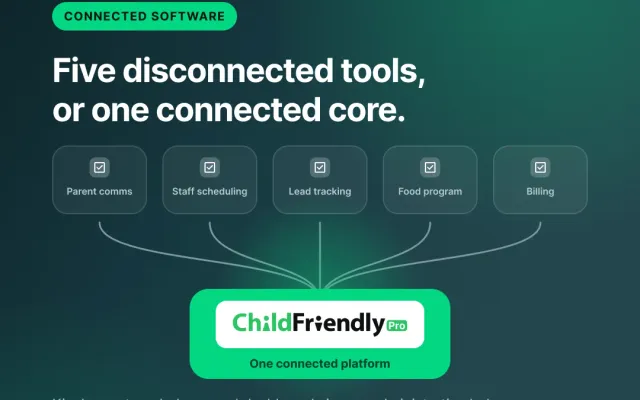
If parents need to fill out forms in one platform, upload documents in another, and make payments somewhere else, frustration grows quickly. An all-in-one system creates a smoother experience for everyone.
Not Using Digital Signatures
Printing, signing, scanning, and emailing forms defeats the purpose of digital enrollment. Electronic signatures speed up approvals and reduce delays. They are also a helpful way to ensure compliance and keep track of important records.
Forgetting Mobile Users
Many parents complete registration on their phones. Forms should be mobile-friendly and easy to navigate on smaller screens. Ensure you are testing your own registration on multiple devices before opening it up to parents.
Allowing Incomplete Submissions
Missing information creates follow-up work for staff. Use required fields and validation checks to ensure applications are completed correctly the first time. Send important instructions to parents if they have multiple areas or forms to fill out.
Not Automating Follow-Ups
Parents appreciate clear communication. Automatic confirmation emails, reminders, and status updates help keep enrollment moving forward.
How Child Care Software Simplifies Enrollment
Modern child care software turns enrollment into a simple, guided process. Instead of juggling paper forms, spreadsheets, emails, and payment systems, centers can manage everything from a single platform.
Parents can:
- Register online anytime
- Upload documents securely
- Sign forms electronically
- Join waitlists
- Submit payment information
- Receive enrollment updates instantly
Meanwhile, administrators gain access to organized records, automated workflows, and real-time enrollment data. It’s a win for everyone involved.
Enrollment shouldn’t feel like a paperwork marathon. By creating a complete digital registration package and avoiding common enrollment mistakes, child care centers can provide a professional, convenient experience that families appreciate from day one.
The easier you make enrollment, the faster families can move from interested prospects to enrolled parents, and the less time your staff spends chasing paperwork.

Frequently Asked Questions
1. What information should be included on a daycare registration form?
At minimum, registration forms should collect child information, parent contact details, emergency contacts, medical information, authorized pickup permissions, payment details, and policy acknowledgments.
2. Are digital daycare registration forms secure?
Yes. Reputable child care software platforms use secure data storage, encrypted connections, and permission-based access to protect sensitive family information.
3. Can parents sign enrollment forms electronically?
Absolutely. Digital signatures are legally accepted in many regions and help streamline the enrollment process by eliminating paper forms.
4. How long should a daycare registration form be?
Keep forms as concise as possible while collecting all required information. Breaking enrollment into sections can make longer forms feel more manageable for parents.
5. Can registration forms be completed on a mobile phone?
They should be. Mobile-friendly enrollment forms improve completion rates and make registration more convenient for busy parents.
6. What are the biggest benefits of digital enrollment?
Digital enrollment saves administrative time, reduces errors, improves organization, speeds up approvals, and creates a more convenient experience for families.
7. How can child care software help manage waitlists and enrollment together?
Many child care management platforms allow centers to collect registrations, manage waitlists, track available spaces, and move families through the enrollment process from one centralized system.
Ready to simplify enrollment and eliminate paperwork? Discover how ChildFriendly’s all-in-one child care management platform makes registration, waitlists, payments, and family communication easier than ever.