Running a child care center can be incredibly rewarding, but it also brings a unique set of challenges. Between planning lessons, managing staff, addressing each child’s needs, and handling administrative tasks, you may often feel like there aren’t enough hours in the day. Fortunately, with a few strategic adjustments, you can streamline your operations, reclaim valuable time, and focus on what really matters.
Here are 10 practical ways to streamline your daycare’s daily operations.
Registration & Enrollment
1. Switch to Digital Registration Forms
Paper enrollment packets are time-consuming to distribute, collect, organize, and update. Instead, use digital registration forms that parents can complete online before their child starts. Digital forms automatically organize information, reduce paperwork, and eliminate the need to re-enter data later. No more chasing missing paperwork or deciphering handwritten forms.
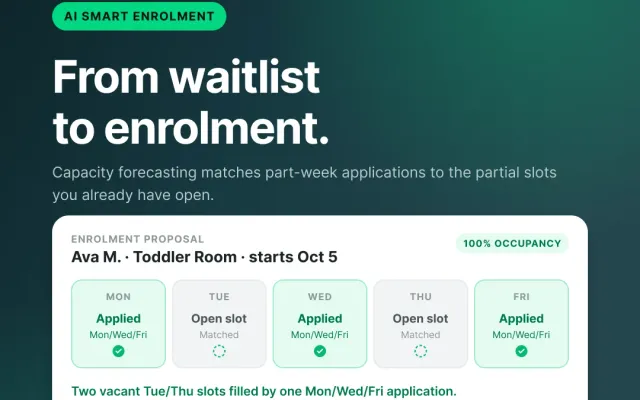
Pro Tip: Use a child care app that helps you streamline the registration and enrollment process, saving you tons of time and automating important steps throughout enrollment. Bonus if it helps you with your waitlist
2. Create a Simple Enrollment Checklist
Every new family requires dozens of small tasks, which includes collecting family information, emergency contacts, immunization records,signed policies, permissions, and payment information. Create a standardized enrollment checklist so nothing gets missed. You’ll be grateful with fewer follow-up emails and less scrambling before a child’s first day.
Pro tip: Use a child care software that tracks outstanding documents automatically. ChildFriendly keeps tracks of all mandatory items with easy-to-read tags.
Billing & Payments
3. Automate Tuition Billing
Creating invoices manually every week or month quickly becomes one of the biggest administrative time drains. Automated billing generates invoices, processes recurring payments, and keeps payment histories organized in one place. Instead of spending hours reconciling accounts, you simply review exceptions. The amount of time saved every billing cycle is huge.
Pro tip: Find a child care software that helps you easily reconcile and also caters to your specific region, making those regional reports a breeze on your end.
4. Encourage Automatic Payments
Late payments often mean reminder emails, phone calls, and extra bookkeeping. Consider offering pre-authorized debit or recurring credit card payments to help ensure families pay automatically each billing period. You’ll spend less time following up while improving cash flow at the same time. Less collections work is less time for everyone and fewer payment-related questions from parents.
Pro tip: Think about making PAD payments mandatory. Parents appreciate the convenience and it helps ensure you keep your books balanced every month. Look for a software that lets you pass along any accompanying fees, like ChildFriendly.
Attendance & Daily Operations
5. Use Digital Check-In and Check-Out
Paper attendance sheets create extra work at the end of every day. Digital check-in allows attendance records to update instantly, while also providing accurate pickup records and timestamps. Many systems can even generate attendance reports automatically for licensing or funding requirements. This means that daily attendance tracking becomes nearly effortless.
Pro tip: Look for a child care software that also helps you keep ratios in check. This means there’s no guesswork involved in the number of children and staff in a room at any given time.
6. Record Daily Notes in Real Time
Trying to remember meals, naps, diaper changes, or activities at the end of the day wastes time and increases mistakes. Encourage educators to update children’s daily records throughout the day using a mobile device or classroom tablet. Parents love receiving timely updates, and staff avoid duplicate work later.
Pro tip: Choose an app that lets you share pictures with parents – they look receiving those visual updates of how their child is doing each day! ChildFriendly has limitless photo sharing, which is a huge bonus.

Staff Scheduling
7. Plan Staff Schedules Further Ahead
Creating schedules at the last minute often leads to constant changes, unnecessary overtime, and coverage gaps. Building schedules two to four weeks in advance gives staff more notice and reduces last-minute scrambling. If your software tracks ratios and availability, scheduling becomes even faster.
Pro tip: Ensure staff request any time off well in advance so you are never left in a lurch.
8. Keep Staff Documents in One Place
Training certificates, CPR renewals, background checks, and licensing documents can be difficult to manage across paper files. Store staff records digitally with automatic reminders before certifications expire. Instead of searching through filing cabinets, everything is accessible in seconds. Less administrative filing and easier licensing compliance is a key to saving time as a child care director or operator.
Pro tip: Find a child care software that lets you easily manage staff items like records, attendance, and scheduling.
Communication & Management
9. Send One Message Instead of Twenty
Parents often ask the same questions about holidays, reminders, events, and closures. Rather than replying individually, use a parent communication platform to send announcements to everyone, or only the families who need them. You’ll reduce duplicate conversations while keeping everyone informed.
Pro tip: Make sure your child care software can let you easily communicate with families, and ideally let you segment messages or emails out to specific parents or groups when required.
10. Let Reports Do the Work
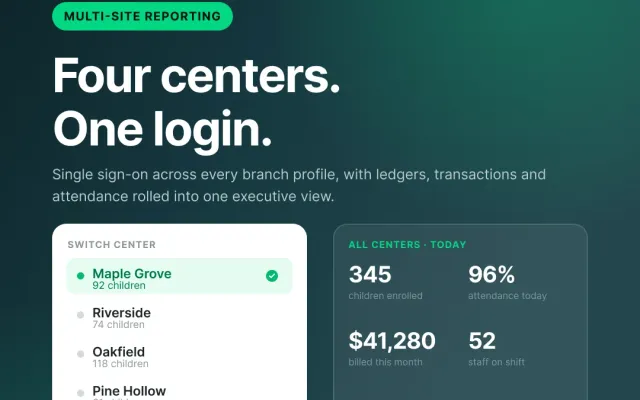
Many directors spend hours pulling attendance numbers, financial reports, occupancy rates, and staffing information. Modern child care software can generate these reports automatically on a daily, weekly, or monthly schedule. Instead of gathering data manually, you’ll spend your time making informed decisions based on it. Without this massive administrative workload, you can spend time on other things. Not to mention, automatic reports give you better insights, quickly.
Pro tip: Make sure your child care software can help with all your reporting needs, including local or specific reports. Finding a software that caters to your region can be crucial to your automatic reports.

Small Changes Add Up
Saving time in child care isn’t about cutting corners, it’s about creating efficient workflows that allow your team to spend less time on paperwork and more time supporting children and families.
Whether you’re improving registration, automating billing, simplifying attendance, or streamlining staff scheduling, every small improvement adds up. Over the course of a year, these changes can save hundreds of administrative hours, reduce stress for your team, and create a smoother experience for families.
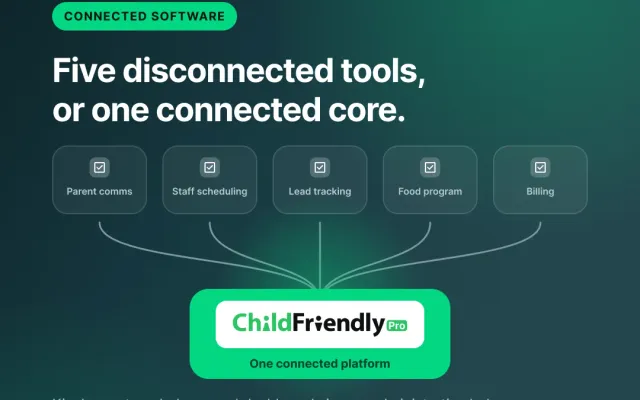
With an all-in-one child care management platform like ChildFriendly Pro, many of these workflows can be automated, helping your center stay organized, compliant, and focused on what matters most: providing exceptional care for every child.
Ready to bring greater efficiency to your child care operations? Visit ChildFriendly to see how we can help you save time, reduce stress, and create a more organized, enjoyable child care experience for everyone involved