Vary the time and the exit
Run drills at nap time, mealtimes and late in the day, and block an exit now and then so staff practise the alternate route.
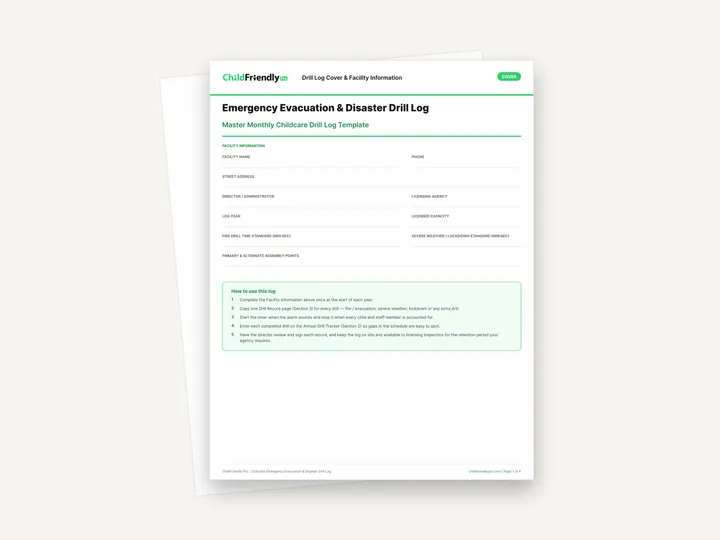
A four-page emergency evacuation and disaster drill log: facility details, a typical drill schedule, an annual tracker for monthly fire drills, severe weather and lockdown drills, and a drill record page to copy for every drill.
No sign-up required. Print it and share it with your team — it’s free for any child care program to use.
What’s inside
How to use it
Tips from operators
Learned the hard way across 3,000 child care spaces — and from the directors and educators who join our Lunch & Learns and Learning Labs.
Run drills at nap time, mealtimes and late in the day, and block an exit now and then so staff practise the alternate route.
Note which staff move infants and children who need help, and record how it went in the procedure checklist.
Licensing visits often ask for drill records. Keep the binder on site and follow your agency’s retention period.
Do it digitally in ChildFriendly Pro
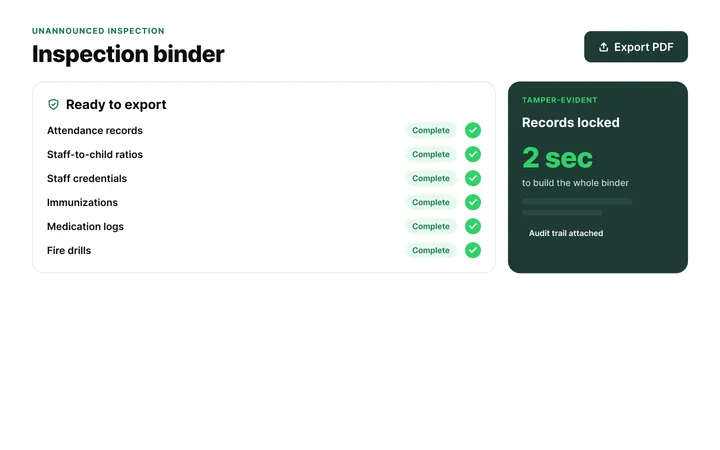
Build any checklist or form once in ChildFriendly Pro, assign it to a room or role, and every completion is time-stamped, signed and filed in your inspection binder — ready for licensing or public health.
FAQ
Can’t find your answer? Chat with a real person who has run a child care center.
Read more FAQsMonthly is the most common requirement, with severe weather drills quarterly or twice a year and a lockdown drill once a year. Requirements vary by province, state and license type, so confirm the intervals with your licensing agency.
The date and time, evacuation time in minutes and seconds, weather, the route used, how many children and staff were evacuated, and any problems encountered. The drill record page covers all of these.
Run a repeat drill as soon as possible, log it, and record what happened and the corrective action in the annual review box so an inspector can see how you followed up.
It is designed to print and complete by hand during the drill. Print the drill record page as many times as you need.
More templates
Administration
Administration
Administration
Administration
Keep learning
Blog · Directors & Admin Workshops
2 min read
Read the articleNewsletter
We add new templates and tools most months. Subscribe and they land in your inbox — along with Lunch & Learn and Learning Lab invitations.

Join hundreds of child care professionals across North America. CASL compliant.
You can unsubscribe anytime. CASL/CAN-SPAM compliant.