Describe the injury precisely
The form has no body diagram, so write exactly where and how big — ‘2 cm scrape, left knee’ — in the description box. It protects you if a bruise is questioned later.
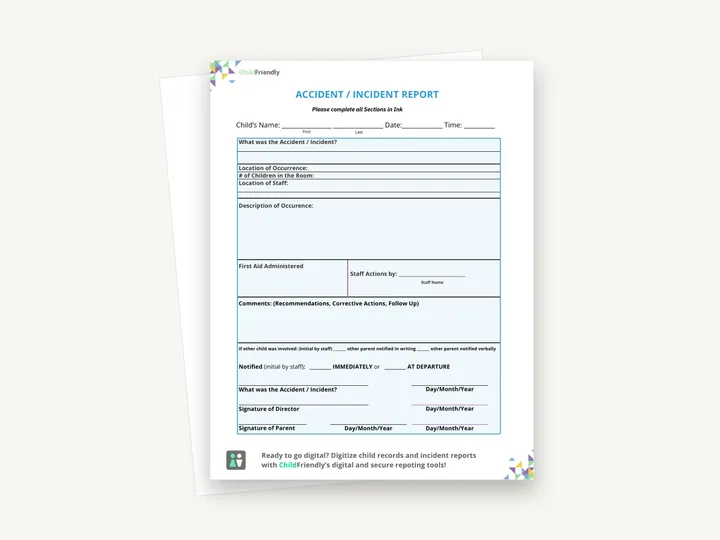
A one-page accident and incident report to complete in ink: what happened, where, how many children were in the room, where staff were, first aid given and follow-up, with lines for parent notification and director and parent signatures.
No sign-up required. Print it and share it with your team — it’s free for any child care program to use.
What’s inside
How to use it
Tips from operators
Learned the hard way across 3,000 child care spaces — and from the directors and educators who join our Lunch & Learns and Learning Labs.
The form has no body diagram, so write exactly where and how big — ‘2 cm scrape, left knee’ — in the description box. It protects you if a bruise is questioned later.
Every province and state defines what must be reported to licensing and how fast. Print that rule on the back of the form.
They contain personal health information. File them in the child’s secured record, not on the shelf.
Do it digitally in ChildFriendly Pro
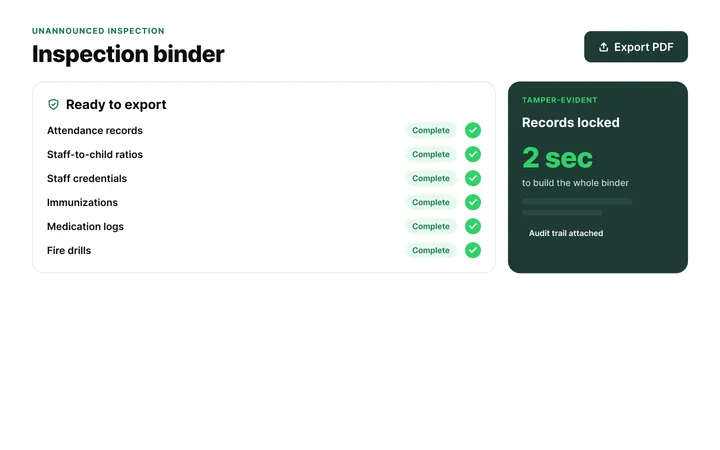
Build any checklist or form once in ChildFriendly Pro, assign it to a room or role, and every completion is time-stamped, signed and filed in your inspection binder — ready for licensing or public health.
FAQ
Can’t find your answer? Chat with a real person who has run a child care center.
Read more FAQsEach jurisdiction defines ‘serious occurrences’ — typically injuries needing medical attention, missing children, allegations of abuse, or emergency service involvement — with a 24-hour or same-day deadline. Check your regulation and note the contact on the form.
Best practice and often a licensing expectation: the family signs to acknowledge they were told. If they refuse, note that on the form.
Follow your record-retention rule — commonly the length of enrolment plus several years, and longer for serious occurrences. Store them with the child’s file, not in the room.
This download is a print-and-handwrite PDF — it is not fillable and is meant to be completed in ink. If you want a digital process, child care platforms like ChildFriendly Pro capture incident reports with parent e-signatures and file them into the child’s record automatically.
More templates
Administration
Administration
Administration
Staff Management
Keep learning
Directors & Admin Workshops · Recording
Krystal Churcher covers high-impact child care regulation areas and how to turn requirements into practical systems that keep you inspection-ready.
Watch the recordingBlog · Health & Safety
4 min read
Read the articleCompliance guide · Alberta
Ratio & compliance
Read the guideNewsletter
We add new templates and tools most months. Subscribe and they land in your inbox — along with Lunch & Learn and Learning Lab invitations.

Join hundreds of child care professionals across North America. CASL compliant.
You can unsubscribe anytime. CASL/CAN-SPAM compliant.