Vary the time of day
Transitions, outdoor play and late afternoon look different from 10 a.m. free play. Spread your observations so the month’s form covers all of them.
A five-page room observation record for directors: 39 numbered monthly checks, 32 lettered weekly checks with four observation columns, and three pages of dated notes. Each observation is marked in-person or camera and rated on a 1–3 scale.
No sign-up required. Print it and share it with your team — it’s free for any child care program to use.
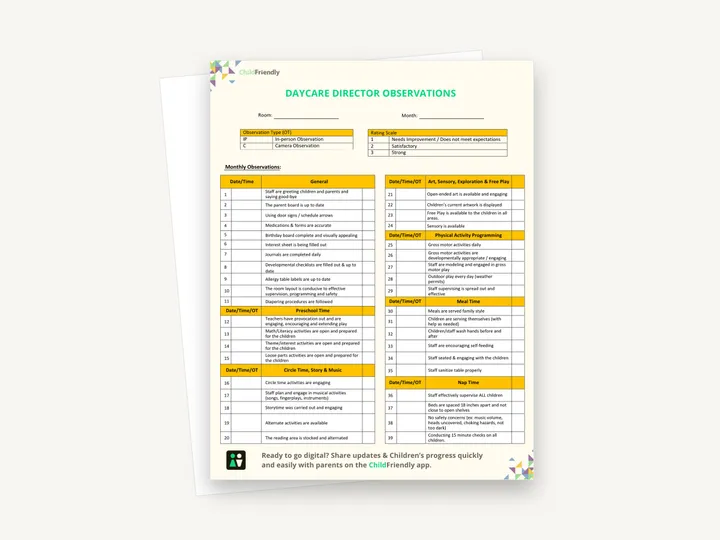
What’s inside
How to use it
Tips from operators
Learned the hard way across 3,000 child care spaces — and from the directors and educators who join our Lunch & Learns and Learning Labs.
Transitions, outdoor play and late afternoon look different from 10 a.m. free play. Spread your observations so the month’s form covers all of them.
The form distinguishes in-person from camera observations. If you use cameras, make sure staff know, and check what your privacy and employment rules require.
Some rows state specifics — beds 18 inches apart, 15-minute nap checks. Confirm they match your own licensing requirements and write your figure on the form if they differ.
Do it digitally in ChildFriendly Pro
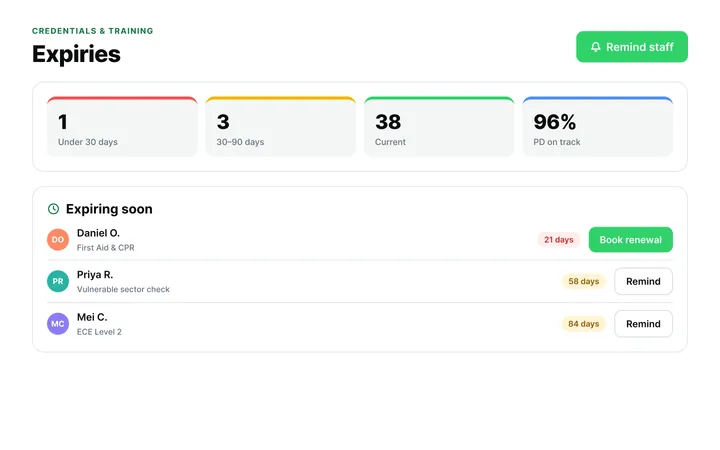
ChildFriendly Pro keeps every educator’s certifications, clearances, PD hours, timecards and review notes in one HR file — with expiry alerts, ratio-aware scheduling and wage top-up hours grouped by level.
FAQ
Can’t find your answer? Chat with a real person who has run a child care center.
Read more FAQsNo. It records what a director sees in a room — environment, routines, supervision and interactions. It has no line for an individual staff member’s name or signature. The completed forms are useful evidence for coaching and for annual reviews.
The form does not say. The first page is headed Monthly Observations and the second Weekly Observations, and each row has its own date cell, so rows can be completed across several visits.
Mostly. A few rows are specific — ‘Diapering procedures are followed’ applies to younger rooms, and the Preschool Time block to older ones. Leave rows that do not apply blank or mark them N/A.
It is a print-and-handwrite PDF, not a fillable form. If you would rather keep room and staff records digitally, a child care platform such as ChildFriendly Pro can hold them alongside your staff files.
More templates
Staff Management
Staff Management
Administration
Staff Management
Keep learning
Directors & Admin Workshops · Recording
Strong educators are the foundation of high-quality child care — and supporting them goes far beyond one-time training.
Watch the recordingNewsletter
We add new templates and tools most months. Subscribe and they land in your inbox — along with Lunch & Learn and Learning Lab invitations.

Join hundreds of child care professionals across North America. CASL compliant.
You can unsubscribe anytime. CASL/CAN-SPAM compliant.