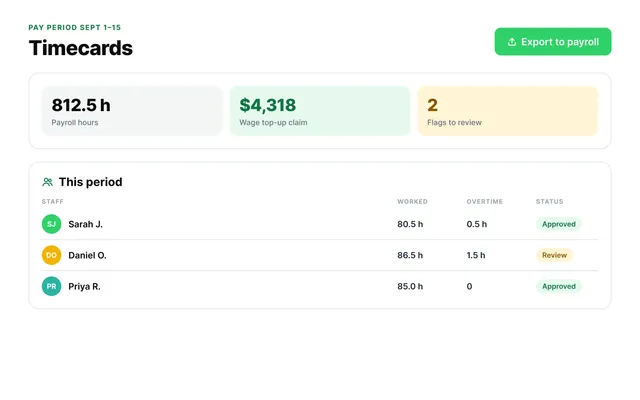
Watch the small overtime
Fifteen minutes a day of unapproved overtime is six hours a month per educator. Set an auto clock-out rule.
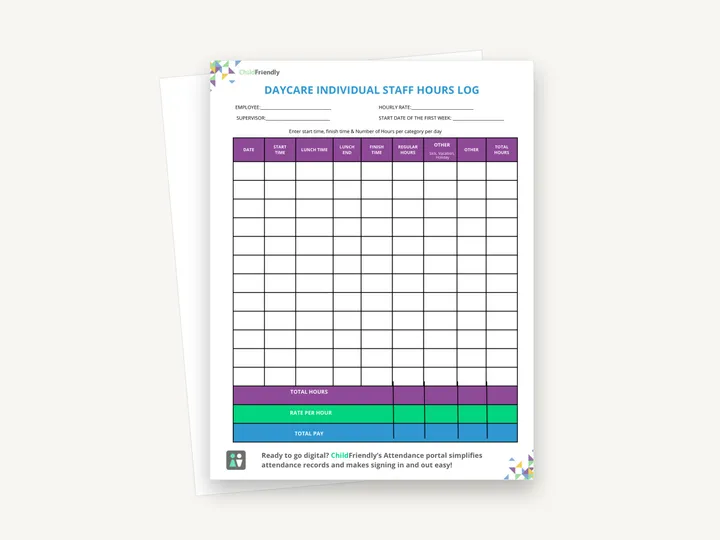
A one-page hours log for a single employee: date, start time, lunch, finish time, regular and other hours for each day, with total hours, rate per hour and total pay at the bottom.
No sign-up required. Print it and share it with your team — it’s free for any child care program to use.
What’s inside
How to use it
Tips from operators
Learned the hard way across 3,000 child care spaces — and from the directors and educators who join our Lunch & Learns and Learning Labs.
Fifteen minutes a day of unapproved overtime is six hours a month per educator. Set an auto clock-out rule.
If your province pays wage enhancements by level, note each educator’s level on their sheet; a monthly summary by level makes the claim much quicker.
If staff clock in on a tablet, export the hours instead of copying them onto this sheet.
Do it digitally in ChildFriendly Pro
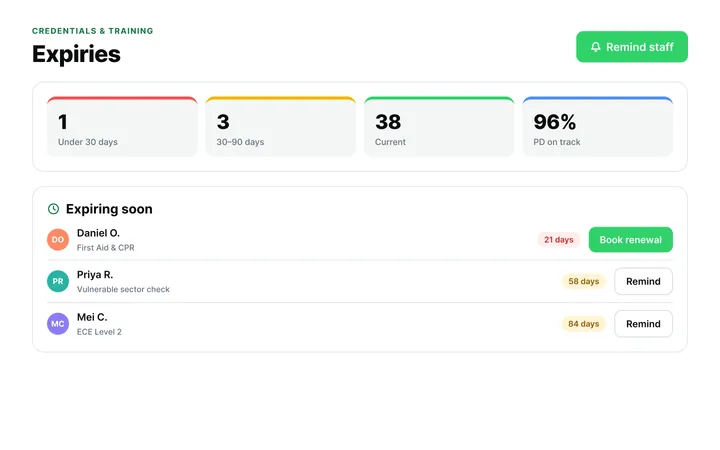
ChildFriendly Pro keeps every educator’s certifications, clearances, PD hours, timecards and review notes in one HR file — with expiry alerts, ratio-aware scheduling and wage top-up hours grouped by level.
FAQ
Can’t find your answer? Chat with a real person who has run a child care center.
Read more FAQsEmployment standards in most provinces and states require several years — commonly three. Keep completed logs (or exports) with payroll records.
Generally hours in direct care of children by a certified educator; administrative, prep and training hours are often excluded. Check your provincial program rules. The sheet has no task column, but you can use the blank ‘Other’ column to separate hours that do not count.
Record them in the lunch time and lunch end columns. Employment standards define minimum breaks, and unrecorded breaks are a common audit finding.
Yes — one sheet per person regardless of schedule. Each sheet holds twelve days; start a new one when it is full.
More templates
Staff Management
Staff Management
Administration
Staff Management
Keep learning
Blog · Admin & Operators
5 min read
Read the articleCompliance guide · Alberta
Staff tracking
Read the guideNewsletter
We add new templates and tools most months. Subscribe and they land in your inbox — along with Lunch & Learn and Learning Lab invitations.

Join hundreds of child care professionals across North America. CASL compliant.
You can unsubscribe anytime. CASL/CAN-SPAM compliant.