Plan the environment, not just the activity
Half of a great lesson is the setup. Note where materials live and what the room looks like at 8:30 — provocations do the teaching.
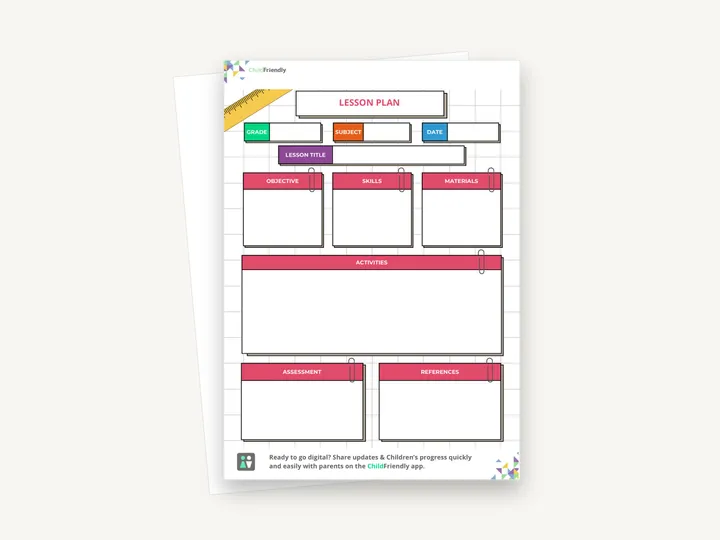
A one-page lesson plan with boxes for grade, subject, date and lesson title, then objective, skills, materials, activities, assessment and references — one sheet per lesson.
No sign-up required. Print it and share it with your team — it’s free for any child care program to use.
What’s inside
How to use it
Tips from operators
Learned the hard way across 3,000 child care spaces — and from the directors and educators who join our Lunch & Learns and Learning Labs.
Half of a great lesson is the setup. Note where materials live and what the room looks like at 8:30 — provocations do the teaching.
Inspectors ask for evidence of ongoing programming. A dated stack of completed plans is exactly that.
One line in the newsletter or family app (“This week: shadows and light”) turns dinner-table chat into extended learning.
Do it digitally in ChildFriendly Pro
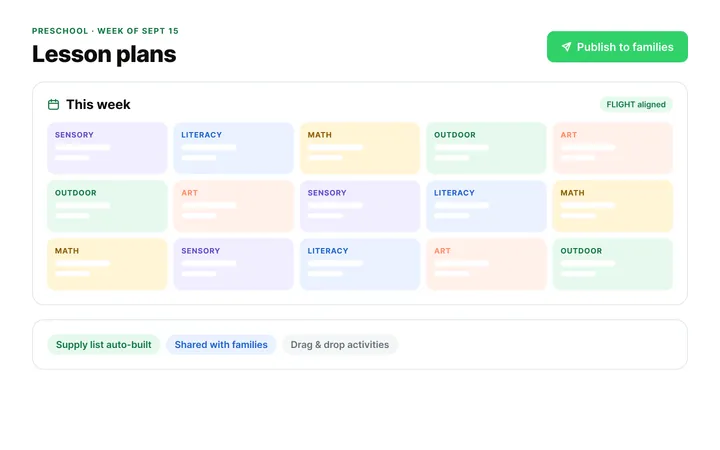
Build the same plan in ChildFriendly Pro and every observation you log is tagged to FLIGHT, ELECT, ELF or your own outcomes, added to each child’s portfolio and shared with families in their daily journal.
FAQ
Can’t find your answer? Chat with a real person who has run a child care center.
Read more FAQsYes. The sheet is framework-agnostic — write the outcome codes or names your province uses in the objective or skills box. If you use ChildFriendly Pro, the same plan can be built in the app with those frameworks pre-loaded and tagged automatically.
In most provinces and states, yes — inspectors look for evidence of intentional, ongoing programming rather than a specific format. Keep completed plans dated and filed, and pair them with your daily journals or observation notes.
The PDF has no form fields, so it is meant to be printed and written on by hand. On a tablet you can write on it with a PDF annotation app and a stylus.
A daily sheet records what happened; this plans a lesson ahead, including how you will assess it. Used together they give you both intent and evidence — which is what quality frameworks and accreditation bodies ask for.
Yes. Write the room name in the grade box and the learning area in the subject box, and keep the objective simple — for example a sensory exploration or tummy-time activity.
More templates
Child Development & Programming
Child Development & Programming
Family Engagement
Family Engagement
Keep learning
Directors & Admin Workshops · Recording
How can educators design programming that truly reflects children’s interests, encourages exploration, and supports intentional learning?
Watch the recordingBlog · Activities
3 min read
Read the articleCompliance guide · Alberta
Ratio & compliance
Read the guideNewsletter
We add new templates and tools most months. Subscribe and they land in your inbox — along with Lunch & Learn and Learning Lab invitations.

Join hundreds of child care professionals across North America. CASL compliant.
You can unsubscribe anytime. CASL/CAN-SPAM compliant.