Write for the phone
Most families read it on a phone at pick-up. Short lines, bold dates, no walls of text.
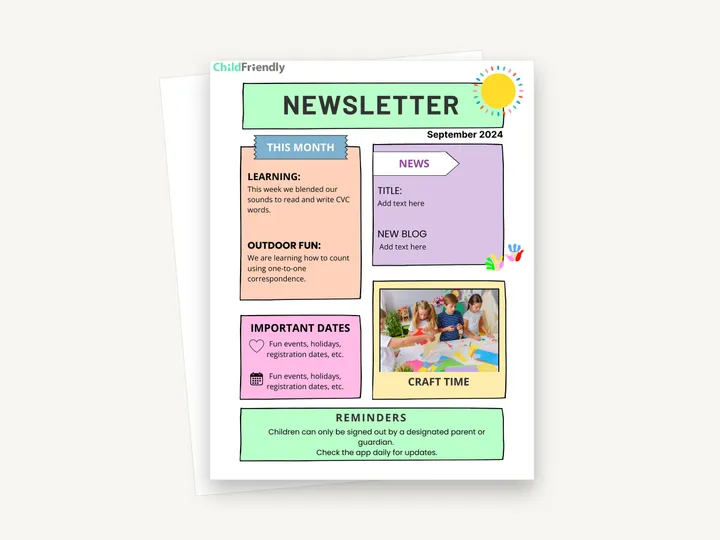
A one-page newsletter design you edit in Canva, with blocks for this month’s learning, news, important dates, a photo and reminders. The download is a one-page PDF containing the template link and editing instructions.
No sign-up required. Print it and share it with your team — it’s free for any child care program to use.
What’s inside
How to use it
Tips from operators
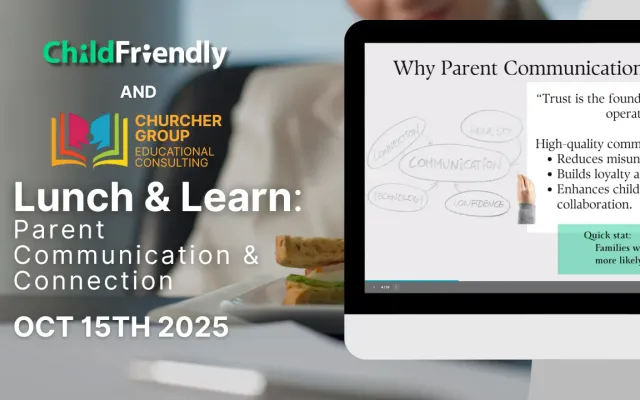
Learned the hard way across 3,000 child care spaces — and from the directors and educators who join our Lunch & Learns and Learning Labs.
Most families read it on a phone at pick-up. Short lines, bold dates, no walls of text.
Familiar layout means families know where to look for dates. Consistency beats novelty.
If your family app shows read receipts on announcements, you will quickly learn which sections matter.
Do it digitally in ChildFriendly Pro
Daily journals, announcements, newsletters and two-way messaging live in the ChildFriendly family app, translated into 198+ languages and delivered with read receipts so you know who saw what.
FAQ
Can’t find your answer? Chat with a real person who has run a child care center.
Read more FAQsMonthly is the sweet spot. Weekly newsletters go unread; quarterly ones miss too many dates. Use the family app or messaging for anything urgent between issues.
Only with a photo-release consent on file for each child shown, and never with full names next to faces. Your family app should track consent per child so you can check before publishing.
One page, which is what this template is. Canva lets you duplicate the page if you need a second, but if you regularly need more you probably need a second channel (the app, a notice board), not a longer newsletter.
No — it is a monthly overview. Daily journals and messaging cover the child-specific day-to-day; the newsletter covers the center.
More templates
Family Engagement
Family Engagement
Child Development & Programming
Family Engagement
Keep learning
Directors & Admin Workshops · Recording
Strong family relationships are the foundation of every thriving child care program.
Watch the recordingBlog · Parents & Families
5 min read
Read the articleCompliance guide · Manitoba
Regional reporting
Read the guideNewsletter
We add new templates and tools most months. Subscribe and they land in your inbox — along with Lunch & Learn and Learning Lab invitations.

Join hundreds of child care professionals across North America. CASL compliant.
You can unsubscribe anytime. CASL/CAN-SPAM compliant.